


A switch is not simply a multi-port splitter. A hub copies received bits to all ports, while a switch can recognize Ethernet frames, maintain a MAC address table, and let different ports communicate at the same time. To understand a switch, follow this chain: where does the frame enter — what did the switch learn — is the destination address known — where does the frame leave.
1. What problem does a switch solve in a network
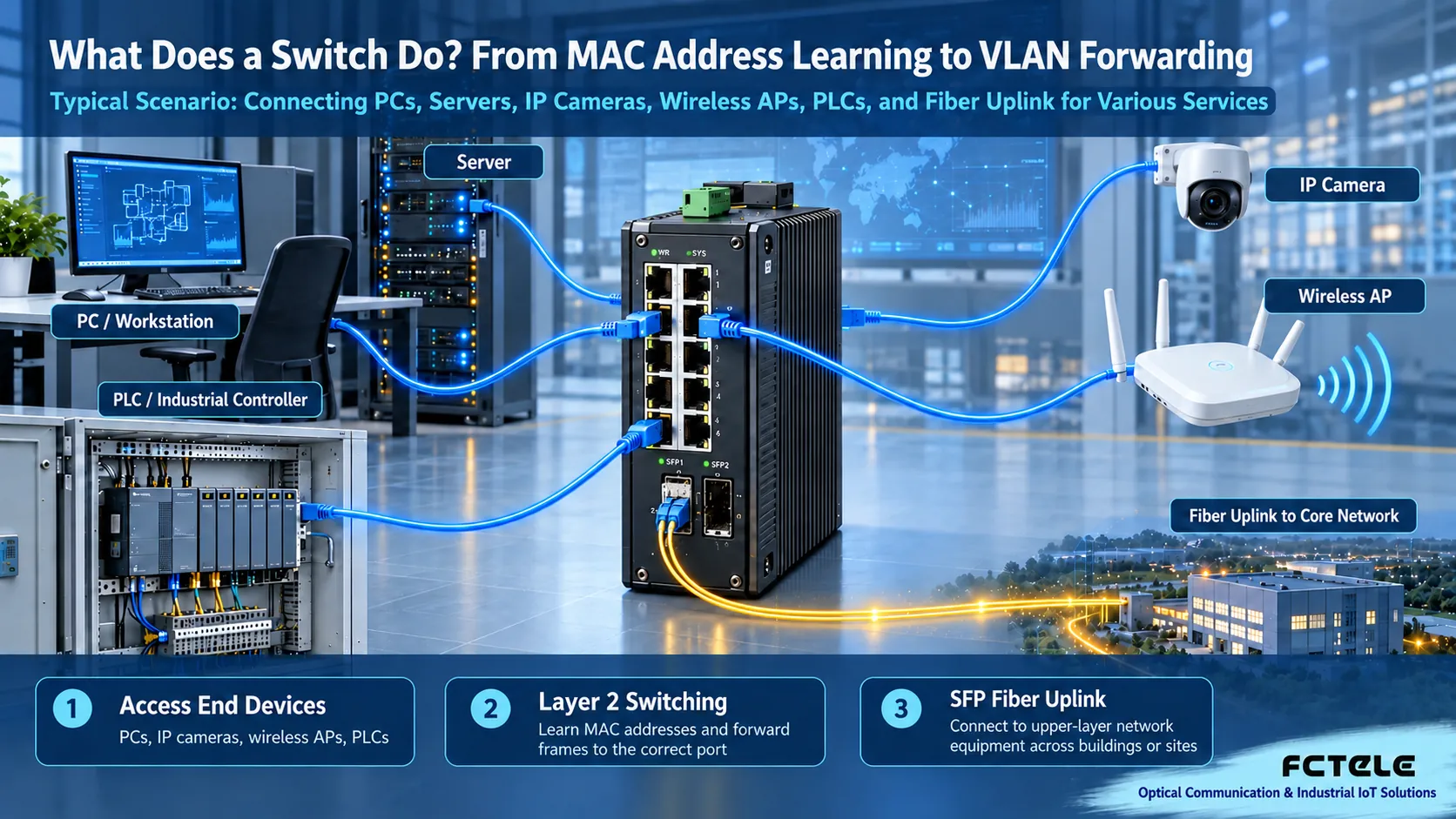
A switch provides Ethernet access for computers, servers, IP cameras, wireless APs, PLCs, industrial controllers, and other devices. Each port forms an independent collision domain, and the switching chip can handle multiple links in parallel, so many devices do not have to contend for the same transmission medium as in early shared Ethernet.
It mainly solves three things: connecting devices, isolating unrelated traffic, and providing a stable Layer 2 channel for upper-layer protocols. An ordinary Layer 2 switch is not responsible for all IP routing; communication within the same VLAN is done by MAC forwarding, while communication across VLANs or subnets is handed to a Layer 3 gateway. Industrial switches also add redundant power, wide temperature range, protection, ring protocols, alarms, and stronger resistance to electromagnetic interference.
2. The complete process of MAC address learning and frame forwarding
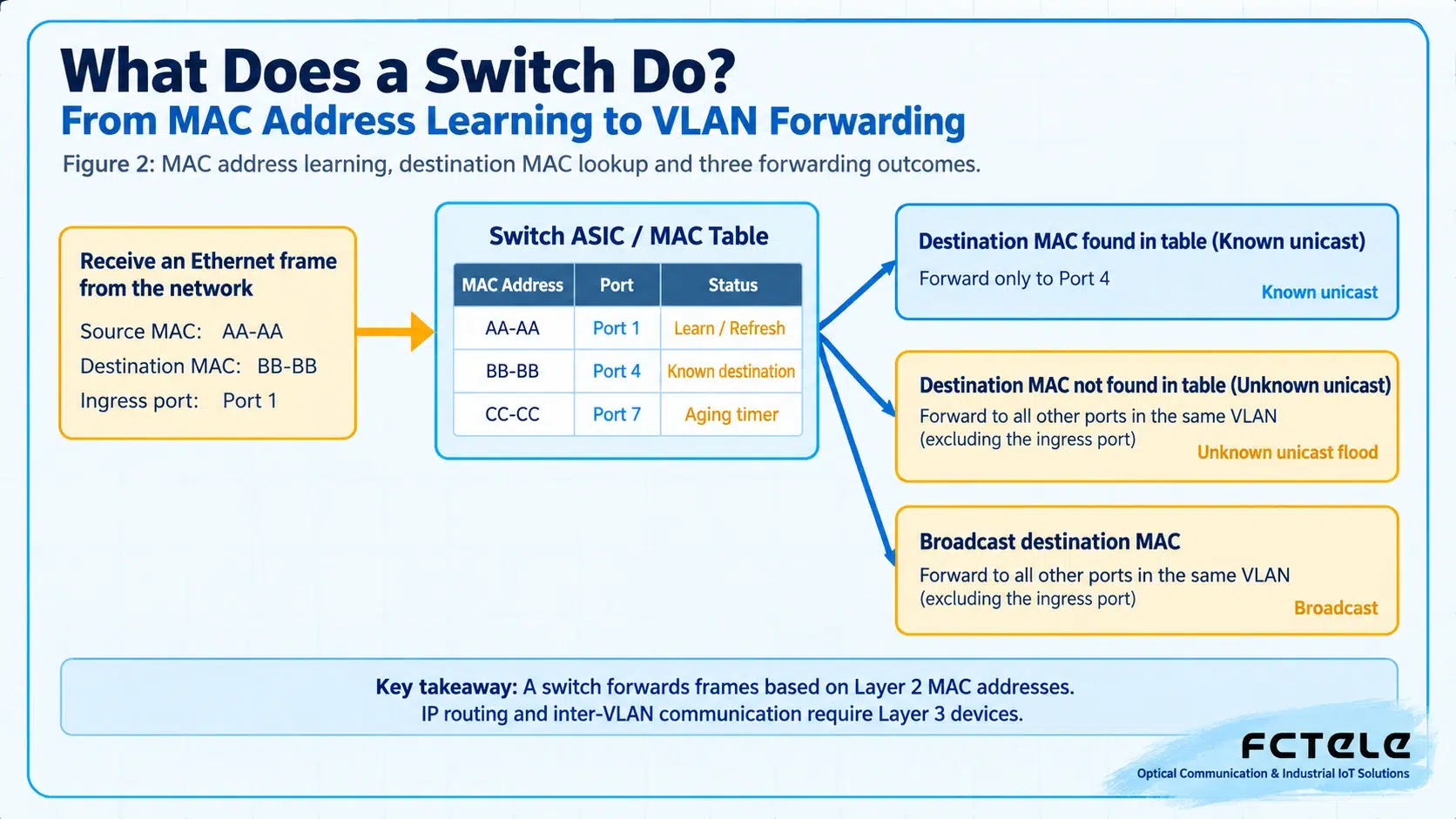
When a frame enters from Port 1, the switch first reads the source MAC address and writes “source MAC — ingress port — VLAN” into the MAC address table. If that MAC already exists, it refreshes the port and the aging timer. This process is called source address learning, and it does not require manually registering each device.
The switch then looks up the destination MAC. If the table already has a matching entry, it forwards only from the target port, which is called a known unicast; if the destination MAC has not yet been learned, it copies the frame within the same VLAN to all ports except the ingress port, which is called unknown unicast flooding; broadcast frames also spread within their broadcast domain. After the end device replies, the switch can learn the reverse path, and later communication becomes directed forwarding.
3. How VLANs, Trunks, and broadcast domains change the forwarding scope
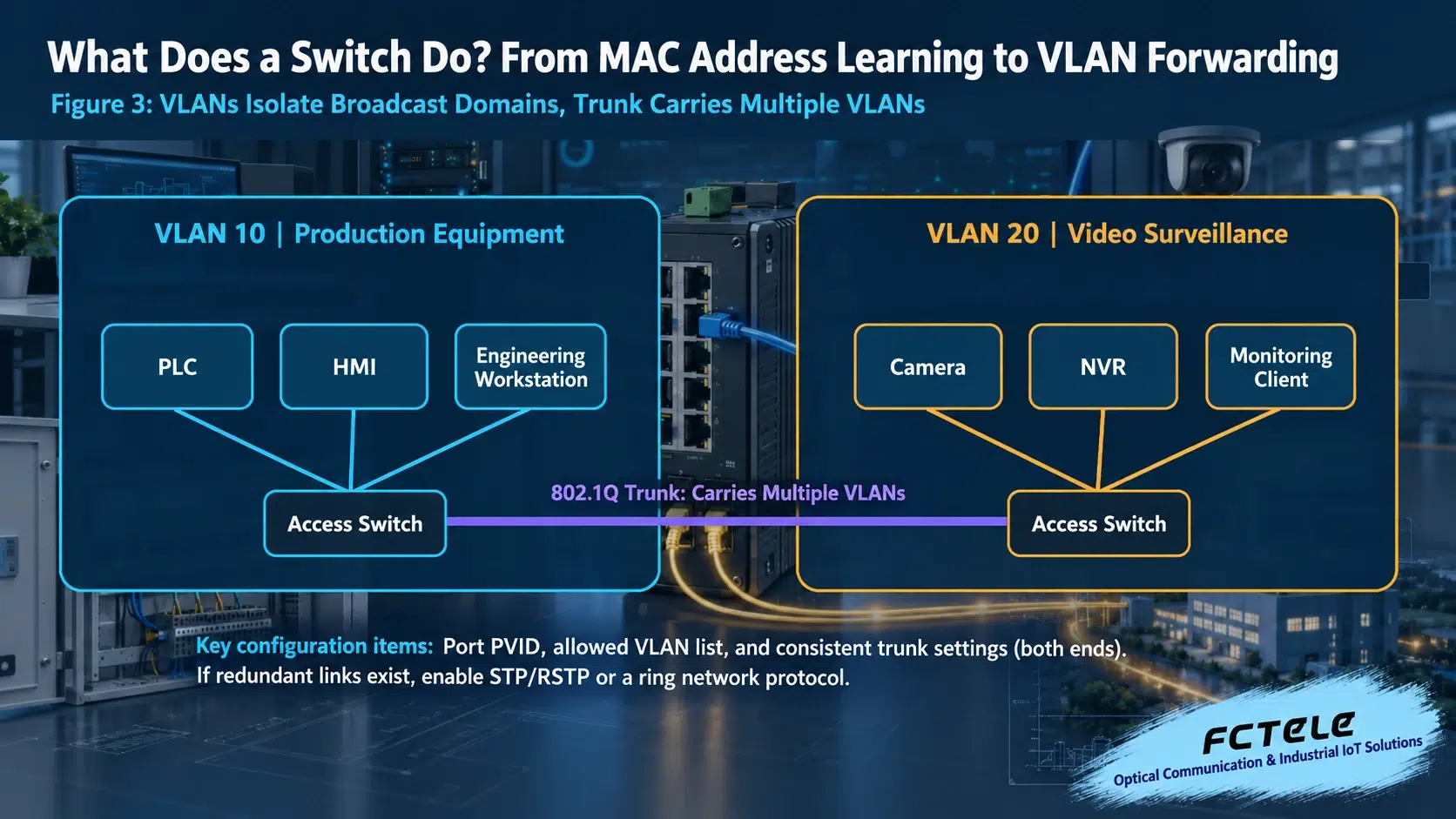
Without VLAN segmentation, broadcasts, ARP requests, and unknown unicasts may cover a large Layer 2 area. VLANs use 802.1Q tags to divide the same physical switch into multiple logical broadcast domains: production equipment, video surveillance, and office terminals can use different VLANs, and by default they cannot communicate directly at Layer 2.
Access ports usually connect terminals and belong to only one service VLAN; Trunk ports are used between switches or between a switch and a routing device and can carry multiple VLANs. In engineering, you must check the PVID, Tagged/Untagged mode, and the list of allowed VLANs at the same time; otherwise, a VLAN may fail in one direction, a management address may become unreachable, or broadcasts may leak.
4. Why a Layer 2 loop can quickly paralyze a network
Ethernet frames themselves do not have a TTL field like IP packets. If an uncontrolled redundant link exists between two switches, broadcast frames may be copied repeatedly and circulate, causing a broadcast storm, MAC addresses drifting back and forth between ports, and the switching chip and uplink bandwidth being fully occupied. The network often shows rapidly blinking indicator lights, intermittent connectivity, and a management page that will not open.
When redundancy is needed, you cannot simply connect multiple network cables in parallel at will. Office networks usually use STP/RSTP/MSTP, and industrial ring networks can use ERPS or a vendor ring protocol depending on device capabilities. During acceptance, you should actively disconnect one link and record the service interruption time, the MAC re-learning process, and the switchback behavior after the link recovers.
5. Switch selection cannot look only at the number of ports
Camera projects also need to calculate multicast and uplink bandwidth; PoE projects need to check per-port power, total power budget, and cable voltage drop; industrial sites need to check the power supply range, grounding, temperature, vibration, and electromagnetic compatibility. The switching capacity in marketing materials cannot replace real service testing.
6. Verification sequence from power-on to delivery
- Record the device model, firmware version, port plan, VLANs, and management address.
- Verify speed and duplex negotiation port by port, and check CRC, packet loss, and error counters.
- Check the MAC address table to confirm that terminals appear on the expected ports and VLANs.
- Test same-VLAN communication, cross-VLAN routing, broadcast scope, and multicast services separately.
- Simulate uplink interruption, power abnormality, and loop protection switching, and record the recovery time.
- Save the final configuration and a backup, and label ports, fibers, power supplies, and cabinets clearly.
7. Common switch questions
Can a switch replace a router?
An ordinary Layer 2 switch cannot replace a router. A Layer 3 switch can perform inter-VLAN routing, but internet access often still requires NAT, security policies, or WAN functions.
Does a switch with more ports always perform better?
Not necessarily. You also need to compare packet forwarding rate, switching capacity, uplink bandwidth, buffer, management capability, and actual performance under high load.
Why does a newly connected device first cause flooding?
When the switch has not yet learned the destination MAC, it performs unknown unicast flooding within the same VLAN; after receiving a reply and building a MAC table entry, later frames are usually changed to directed forwarding.
Can two switches be connected with two network cables to improve reliability?
Only after configuring link aggregation or a spanning tree/ring protection mechanism. Connecting them directly in parallel may form a Layer 2 loop.
Translated from the Chinese technical article. Source first published: 2019-09-20. Source last revised: 2026-10-13T23:45:12+08:00. Read the Chinese source
